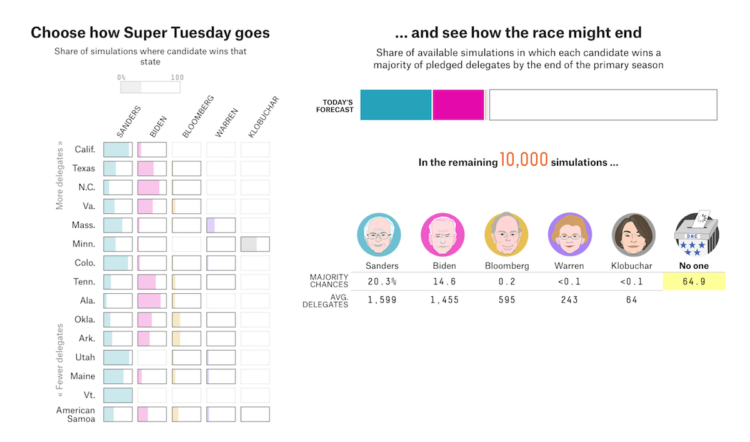
With Super Tuesday on the way, there’s still a lot of uncertainty for what’s going to happen. FiveThirtyEight has their forecast, but even with results expressed as odds and probabilities, the outcome almost seems static and concrete. So FiveThirtyEight has a different way of poking at their forecast. Pick the winners in each state, note how the conditional probabilities change as you go, and see what might happen in the rest of the primary given your picks.








 Visualize This: The FlowingData Guide to Design, Visualization, and Statistics (2nd Edition)