Category: Self-surveillance

  • Nike+ Human Race 10K – Racing Around the World

    Posted Sep 2, 2008 to Self-surveillance / 5 comments

    Nike+ Human Race 10K – Racing Around the World

    Nike+ is a device you hook up to your shoe and iPod Nano to track your running patterns and receive feedback while you're running. Already a million people around the world have been training with the device, with the U.S. putting up 2.4 million global training miles. This past Sunday was "the day the world stopped to run" in the Nike+ Human Race 10K.

    I was in New York last week and got a picture of the giant Human Race display in the middle of Times Square.

    It's a really great self-surveillance example. It's millions of people taking interest in themselves, collecting data, and then ultimately making a contribution to a group. In this case, people are grouped by countries.

    Did any readers participate in the race? I'd be interested to hear how it went.

  • Weekend Minis for Your Lazy Weekend – 7/19/08

    Posted Jul 19, 2008 to Self-surveillance, Visualization / 4 comments

    BedPost - I put this up earlier for the FlowingData personal visualization project, but for those who missed out, Kevin recently put up a sign up form so that you get a notification for when the grown up activities tracker is ready for public use.

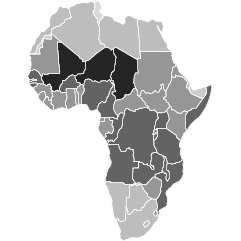
    Bible Belt Got Back - We see fatness by state in this fun map by CalorieLab. The map title says percentage of obese adult population, but I think it really meant percentage of adult population that is obese. [Thanks, tarheelcoxn | via The Daily Dish]

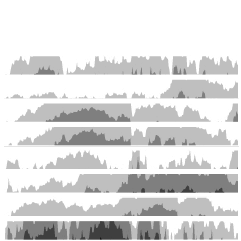
    Movie Color Spectrum - I couldn't find more details for this, but from what I gather, we see the dominant colors of selected movies that range from rated G to NC-17. Notice a pattern as we start from happy go-lucky movies for children to the uh, more grown up movies? [Thanks, Tim]

    Pew Study on Religion - USA Today uses horizontal stacked bar charts to show results from the Pew Forum on Religion and Publilc Life. What do you think - easy or hard to read? Do all the charts make the data more clear?

  • Hacking the Coffee Maker – Caffeine Viewer

    Hacking the Coffee Maker – Caffeine Viewer

    The colmeia group recently installed their Caffeine Viewer project where they hacked their coffee maker to log their "insane coffee consumption" in real-time. Every time a person presses a button on the coffee maker data are logged, but there's a slight twist - the data are available to everyone via the caffeinated API. That's some serious self-surveillance. There are also a few visualizations, but mainly, they invite others to create their own.

    Hacking the coffee maker:

    Caffeine arcs:

    How much coffee do you drink every day? More importantly, if you saw how much coffee you drink per year, would you cut back?

  • How Much Time Do You Waste on Your Computer?

    Posted Jun 16, 2008 to Self-surveillance / 5 comments

    How Much Time Do You Waste on Your Computer?

    A few months ago, I started monitoring how I spent time on my computer to procrastinate less. One month later, I found that the way I kept track of what I was doing wasn't detailed enough to be useful. I knew that I was spending a lot of time online, but I had no idea what I was doing that time. Was I working and researching or was I wasting a lot of time on YouTube and Facebook? So I switched to RescueTime to get the breakdown and my goal to stop procrastinating started over.

    It's been two months now, and here are the results.

    May Was a Time Waster

    RescueTime logs your computer activities and lets you tag them. I tagged activities like programming as work, Google Reader as reading, and FlowingData as blogging. RescueTime graphs your time spent split by your tags. Here's the graph for May.

    May was a slow month. There was a lot of blogging, reading (other news and blogs), and networking (email). While I wouldn't count these as a waste of time, they don't exactly count as work either.

    June Has Been More Productive

    There was been a larger percentage of work this month. I think it's largely in part to a deadline. If I didn't work, I'd be screwed.

    Working Towards More Production

    There's still a lot of improvement to be had. I haven't really been consciously trying to be productive so these are data to compare against more than anything else. In the coming months I'm going to try to get that work category up and the rest of the categories down. Will this insight motivate to waste less time? I guess time will tell.

    How do you spend your time?

    (This would be a great source of data for your FlowingData summer project.)

  • Citizen Science, Personal Sensing with GPS-Equipped iPhone (Among Others)

    Posted Jun 10, 2008 to Self-surveillance / Add your comment

    With the unveiling of the brand new iPhone 3G, Twitter has been buzzing with excitement. One of the more interesting new iPhone features is built-in GPS. Your iPhone will know when and where it is, opening up tons of possibilities for location-based applications - one of them being personal sensing, or rather, participatory sensing.

    Seeing the World in Data

    This is what I've been heavily involved with lately, working with the UCLA Center for Embedded Networked Sensing. Instead of iPhones, we use Nokia N80s. It's the idea that individuals can use existing mobile technologies to gather and analyze data about the world around them.

    On With the Show

    Here's our super cool, unbelievably awesome video taking a look at the near future of personal data collection with everyday mobile phones:

    A little corny, yes, but informative.

    How can non-experts make use of such huge amounts of data? I'm glad you asked! Visualization of course. More on this later.

  • Data Visualization Gets Personal – Putting Data Into Your Hands [PROJECT]

    Posted Jun 3, 2008 to Self-surveillance, Summer Project / 4 comments

    Data Visualization Gets Personal – Putting Data Into Your Hands [PROJECT]

    Want to have some fun and win an Amazon gift certificate in the process? Read on.

    Personal data visualization has a huge advantage over other types of visualization. Personal visualization is about you, for you, and the data is from you. That's a ton of background information with very little effort. As Jeffrey Heer noted in Socializing Visualization, people tend to spend more time exploring data when they connect personally to what they are seeing.

    This Project's For You

    Running off this idea, this summer project is all about you - literally.

    Take a moment and think about the data "flowing" off of you. How much did you spend on coffee over the past month? How much sleep did you get yesterday or the past week? Did you gain or lose weight this year? Look through your past billing statements, your iTunes listening history, or your car's odometer.

    Do you have a certain number (or series of numbers) in your head now? What do you see?

    How to Participate

    Think about data that is specifically about and from you, and then email it to me with "Summer Project" in the subject line. Send as many entries as you like.

    There's just one catch -- send me your data in the form of a graph, a photo, a hand-drawing, or any other visualization you can think of. It can be interactive or static, simple or complex, serious or humorous, analytical or artistic, or all the above. It's up to you.

    Don't worry if you're not a designer or expert of statistical graphics. All that matters is that you make something about you.

    The End Result

    In the end we'll have a beautiful mosaic of graphics - each of which tells its own story. I'll arrange all of your graphics (and some of my own) ever so beautifully and you will be part of the greatest PDF of all time.

    Win a $40 Amazon Gift Certificate

    As if personal insight and reflection weren't enough, the person who creates my favorite "graphic" will win a $40 Amazon gift certificate. For serious. So what are you waiting for? Open up Illustrator, Excel, R, Processing, a sketch pad, your digital camera, or whatever it is use, and get creating!

    Here's some inspiration to get you started.

    Feltron 2007 Annual Report:

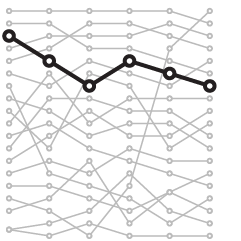
    Personal Relationships:

    One Picture a Day:

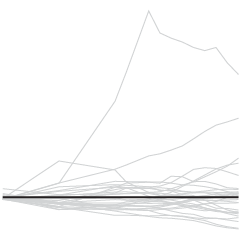
    Transactions Graph:

  • Using Mobile Phones to Understand Ourselves and Motivate Change

    Posted May 27, 2008 to Self-surveillance / 3 comments

    Nokia N80Mobile technology has come a long way from those foot-long phones hooked up to a shoe box sized battery pack. With bluetooth, GPS, cameras, and Internet connections, mobile phones nowadays pack a lot of power. How can we put this functionality to use?

    Mobile Phones for Personal Data

    The technology to collect data about ourselves is available. We can record where we have been with GPS, and with cameras, we can keep track of what we have seen. We can then upload this data regularly with a persistent Internet connection, and what we end up with are travel patterns and live image streams.

    Putting Personal Data to Use

    Now things start to get super interesting. The challenge is to figure out what to do with all the data.

    • What do you do with a year's worth of location traces or a year's worth of pictures taken every few minutes?
    • What story can you tell and what inferences can you make?
    • Can you combine data from the phone with existing databases e.g. weather, environment, or traffic?
    • What type of visualization is more effective in making data available to non-expert users?

    In the coming weeks I will be investigating these questions on this subject of self-surveillance, and if you don't mind, will be bringing all of you along for the ride (towards completing my dissertation :).

    What would you do with location data or a continuous image stream from a year of your life?

  • How to Stop Procrastinating – One Month Report

    Posted Apr 14, 2008 to Self-surveillance / 5 comments

    Procrastination ClockAbout a month ago, I started my self-experiment to stop procrastinating. I tried these two strategies:

    1. Make a to-do list every night to lay out what will get done the next day
    2. Enable the Greasemonkey script - Invisibility Cloak - which will block all the sites that I waste too much time on except during lunch and on the weekend

    By mid-month, my browsing time was down only a dismal 3.5%. Here's my one month report.

    More Procrastination (?)

    Before I started this experiment I was using the browser 10.11 hours per day, and by mid-month, I was down to 9.76 hours per day. At the end of the month, I saw an increase in browsing time - 10.31 hours per day. What went wrong? That's a 2% increase from day 1, and from mid-month, it's a 5.6% increase. What happened? I think I know. The numbers don't tell the entire story.

    Turned Off Invisibility Cloak

    SwitchA lot of my work is related to what I do for fun online, so I still had to use some of the sites I blocked with Invisibility Cloak. During the first two weeks of my self-experiment, I would turn the Cloak off whenever I needed to, but some time during the last two weeks I turned it off and it stayed off. However, I think I did this because I was actually working more, so I was turning the Cloak on and off enough that it started to get annoying. Now that I think about it, I probably could have just changed the sites that I blocked, but turning it off was easier.

    Need to Know More About Data

    So here's the thing. Even though my browsing time increased, I don't know if I actually was wasting more time surfing, because it could easily be the opposite. I might have been doing more research than usual or testing designs in the browser. I did after all, feel like I was completing most or all of the items I put on my daily to-do lists (which I noted in my mid-month report that they tasks usually got done if I was specific).

    Next Step in Ending Procrastination

    RescueTimeIn my next round of self-experimentation and self-surveillance, I've switched to RescueTime, which logs not just your browser behavior but everything you do on your computer. It provides time breakdowns of your activities that you can tag (or categorize) and assign a productivity score from -2 (least productive) to +2. For example, I've tagged time I spend on Facebook as a 'time waster' and assigned it a score of -2. I'm looking forward to seeing what changes (if any) this new insight brings.

    I'll also continue with the detailed to-do lists, as I think they've helped, but I can't say anything for sure yet.

    How are all of you doing?

  • A Self-experiment – My Mid-month Report

    Posted Mar 17, 2008 to Self-surveillance / 11 comments

    Two weeks ago, I vowed to stop procrastinating using two strategies:

    1. Make a to-do list every night to lay out what will get done the next day
    2. Enable the Greasemonkey script - Invisibility Cloak - which will block all the sites that I waste too much time on except during lunch and on the weekend

    Down You, ProcrastinationSince I enabled the plugins and started to-do lists, my browsing time has gone down a whopping 3.5% - from 10.11 hours per day to 9.76 hours per day. Ok, it doesn't sound like much, but there's a bit more to the story.

    Growing More Productive

    Even though the time decrease isn't much, I've still been more productive than when I wasn't trying to improve. Since all of my favorite sites - Facebook, Google Reader, this blog - are blocked during the day, I spend more time reading papers and researching stuff I'm supposed to be looking for.

    Planning to Improve More

    Productivity has gone up, but there's still room for improvement. There have been days when I did not feel like working, so I cheated, and turned off the plugins and scratched the to-do list. As a result, I wasted a lot of time.

    On the days I feel blah, I'm going to avoid turning off the plugins and see where that takes me. I will also work on creating more specific to-do lists the night before, because when I put in vague tasks like "go over papers" it didn't really get done. However, if I put in, "read paper X, paper Y, and summarize each" then it usually got done.

    Failed Tactic

    I also tried hiding the dashboard (I have a Mac) so that I couldn't see that I had new emails, but that just (as embarrassed as I am to admit) let me wondering more. I would keep checking which seemed to waste more time.

    I'll put in my final report in two weeks.

    How's everyone else doing?

  • How to Stop Procrastinating So that I Am Not a Bum – A Self-experiment

    Posted Mar 3, 2008 to Self-surveillance / 9 comments

    Clock by ToniVCI waste way too much time doing completely useless stuff when I should be working on my dissertation, reading papers, writing papers, and learning things that will bring me closer to my degree. I'm ready to stop procrastinating.

    How I Will Become More Productive

    In an attempt to work more efficiently, I am going to take up Seth's self-experimentation offer that I found via Andrew's post. I am going to self-experiment; I am going to collect data about myself; and I am going to find out if my two-pronged method to stop procrastination works. Here's my plan:

    1. I will make a to-do list every night to lay out what will get done the next day
    2. I will enable the Greasemonkey script - Invisibility Cloak - which will block all the sites that I waste too much time on except during lunch and on the weekend

    How I Will Judge Improvement

    To measure my progress, I will make use of two Firefox plugins - Browser Statistics and TimeTracker. The former keeps track of the amount I've downloaded (in megabytes) while the latter is a timer for time spent browsing the Web.

    Luckily I've had these two plugins enabled for a little over a month, so at the end of this month, there will be something to compare to. From January 27 to March 2, I downloaded 23,524.73 megabytes and spent a whopping 364 hours browsing. That's about 653 megabytes and a little over 10 hours per day. OK, that's embarrassing.

    Join Me In This Self-experiment

    I'll do this for one month with a midway report on March 17 and a final report on March 31. You can subscribe to the feed to stay updated, and if anyone wants to join me on this, all the better. Just leave a comment below so that we can keep track of results.

    Procrastination-free days start now.

  • Man Takes a Picture of Himself Every Day for 6 Years

    Noah Kalina took a picture of himself every day for six years (and still going); above is all of the pictures put together into a time lapse. Now that's diligence.

    Continue Reading

  • Sifting Through My Mobile Phone Logs

    Posted Oct 9, 2007 to Self-surveillance / 3 comments

    When I was in NYC and my wife was in Buffalo, New York we talked on the phone almost every day, usually around ten in the evening. I was at my friend's place one night, and at 10:05pm, my wife called.

    The first thing she said was, "Where are you?"

    I told her I was at my friend's.

    My wife quickly replied, "Ha! I knew it!"

    Confused, I asked, "How did you know?"

    "Because otherwise, you would have called me at exactly 9:58."

    Am I really that predictable? First it was the Chinese food, and now I had been accused of call time predictability. Of course there was only one way to put this dispute to rest -- look at the data.

    The Analysis

    Luckily, my carrier, Verizon wireless, offers call logs in spreadsheet form. I was only interested in chats with my wife while I was in NYC, so I sorted all of my phone calls by time and got rid of the records that weren't her. After some data cleaning and adjustments, I threw the data at R (a statistical computing language) with all of my might, and it kindly provided me the graph below.

    Not Calling Her at the Same Time Every Night

    The Findings

    As expected, I didn't call at 9:58 every night. In fact, the most calls were at 9:57. Ha. So there. Alright, maybe my call times were slightly predictable, but definitely not to the extent suggested. Most calls occurred some time between 9:30 and 10:30 with some scattered calls late at night and during the afternoon.

    Data wins again. Data 2, over-generalization 0.

    Have you looked at your call logs lately?

  • Data Collection With USB Pedometer. Weight No More!

    Posted Sep 18, 2007 to Self-surveillance / Add your comment

    USB PedometerI'm thinking it might be time to revive my step count data collection with a nifty USB pedometer from Brando.

    This Pedometer can store 3 days of step data and upload the data to your PC via USB! Through your data, the software can chart your outcome, view the calories burned and details on your daily activies. You can get easily to control your weight by this Pedometer and no over weight anymore!

    If I had this, it wouldn't be such a big deal if I forgot to record a couple of days. As I noted in a previous post, one of the difficulties of getting good step data was simply getting it into the spreadsheet. This bad boy records 3 days worth of data. Plus the USB and software, I imagine, could make record-keeping a lot smoother. Plus no over weight anymore!

    Worth investigating, I think? The release date is somewhere November 2007. I'm about 1 percent positive that this could very well be as popular as the iPhone.

    [via Gizmodo]

  • Appeal of Visualizing My Life in Data

    Posted Jul 30, 2007 to Self-surveillance / 1 comment

    Admittedly, ever since the Spring quarter ended, I've either been preparing for my internship at The Times or have been occupied by the internship. I haven't given much thought to my dissertation topic, which in the most vaguest of terms will somehow encompass three things:

    • Social Data Visualization
    • Eco-Visualization
    • Visualization of my Life

    I have yet to figure out how to tie the three together in a worthwhile way or even whether I will include all three. Wrapped around the three will be data sharing. I got to thinking a little bit about visualizing my life in data today.

    My adviser forwarded me this info design piece, by Gregory Dizzia (which was apparently also featured on infosthetics):

    Greg’s Relationships

    First off, this is a cool piece. If you haven't seen it, go to the site and download the pdf. It's a simple idea. Document past relationships -- how they began, how they ended, what happened in between. The information is organized very well. At a glance, you can see how many relationships Greg has had in his life and all the one night stands he had after his mid-life, long-term relationship. The design is attractive and I could relate to the information, so I was drawn in to look more.

    Dig a little deeper, and you'll see that there's not just one engagement ring during that long-term relationship with Sarah. There's a second one during his very first girlfriend, Megan. Although, I'm a little wary of calling Megan a girlfriend since it was during Greg's tender years at age 9 to 11. Stuff like that makes me want to know more.

    Was he really engaged? Was it an arranged marriage or something? What do those breakup symbols really mean?

    Life Visualization Appeal

    Right off, Greg's piece drew me in, because (1) it was pretty, and (2) I could relate to the data, and (3) there was a very human factor. This could probably be generalized to all types of successful visualization, but (2) and (3) are, I think, synonymous with life viz. That's two out of three things that are automatic. Plus, as the visualizer I have a very strong emotional attachment to the data.

    NOW, what happens when we have 100 people's relationships to visualize? 1000? That's when it gets really interesting and social data visualization makes its way into the picture. Well, something to think about.

  • 10,000 (Literal) Steps to Healthier Living

    Posted Jul 10, 2007 to Self-surveillance / 2 comments

    PedometerIt's really easy to be lazy when you work from home. I can tell you this first-hand.

    Twenty-six steps from my bedroom to the kitchen; 6 steps from bedroom to study room; 29 steps from study room to kitchen; 24 steps from kitchen to bathroom. Do some back and forth, go through the rotation a few times, and that's my day. I can easily go a whole day walking (or dragging my feet) only 300 steps. That's sad.

    Just how sad is it? The Walking Site (um, yes, there really is a walking site :) recommends 10,000 steps per day. Wow, only 9,700 steps away! I'm pretty sure I'm slowly getting fatter due to my sloth-like behavior.

    In efforts to avoid the gut, I'll be wearing my trusty pedometer to shoot for 10,000 steps per day. Of course I'll be logging this data online, and we can all see how un-lazy I can become. Who knows?

    I can tell you this though. I used to wear this nifty step counter a few months back, and it certainly made me more aware of my laziness. I started walking more and took the long route, around campus, from my office to the car. Sometimes, we just need to see proof to change. As if a pot belly and excessive sweating wasn't enough.