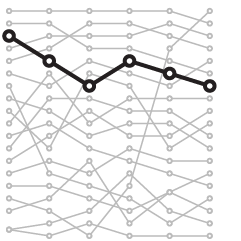
Moki takes a page out of the OkCupid social media playbook and analyzes movie ratings over the past two decades. They looked at the 20 most popular movies for each year, and then plotted them by "polarization," or rather, standard deviation, or in other words, movies that had a wider spread of ratings were more polarizing than those where reviewers came to a consensus.
Continue Reading
Statistical Visualization
-
Visual evidence that movies are getting worse
-
America is not the best at everything
Charles M. Blow has a look at some metrics for the International Monetary Fund's "Advanced economy" countries. As Americans, we like to think that we're the best at everything, but in many instances, that just isn't the case. Sometimes we're the worst.
[New York Times via @charlesmblow]
-
The Grammy winning sales bump
A Grammy win is worth way more than a little trophy and some short-lived fame. It's worth actual cash. As shown in this graphic by Wilson Andrews and Mike McPhate for the Washington Post, album sales two weeks after winning shoot up from two weeks before the awards show.
Last year, album sales only went up 56 percent for the Taylor Swift album Fearless, compared to a plus 891 percent bump for the 2009 winners, Alison Kraus and Robert Plant. However, considering the relative obscurity of this year's winner, Arcade Fire, I suspect a bump more like the latter.
-
Exploratory treemap for Obama’s 2012 budget proposal
It's that time of year again. Obama recently released his 2012 budget proposal for how to allocate $3.7 trillion. It's complicated no doubt, but Shan Carter and Amanda Cox of the New York Times make it easier to understand with their interactive treemap. Rectangles are sized by proposed spending and colors indicate percent change from previous year. Darker red rectangles represent bigger drops from the 2011 budget and darker green greater increases. Zoom in and pan as you please.
Continue Reading -
Gamers mimic the real life football season
As you might expect, people who play sports video games tend to play with teams when those teams are winning in real life. Anyone who plays online via their Playstation or Xbox can tell you this. I play NBA 2K11 sometimes, and it can get pretty boring playing the Lakers over and over again. Kevin Quealy for the New York Times investigates the phenomenon with data from Madden NFL, the most popular football video game of all time, and small multiples. I sense R and ggplot.
A team loses, and there's a dip in gameplay. A team wins or gets a new star player, there's a spike.
-
Watch the world get fatter over the past three decades
People are getting fatter everywhere. You know this. But there's nothing like the numbers to actually show how we're growing outwards and by how much. With this interactive, Wilson Andrews and Todd Lindeman, for the Washington Post, report:
With a few exceptions, the average body mass index in most countries has risen since 1980, according to a project that tracked risk factors for heart disease and stroke in 199 countries over 28 years.
Each circle represents a country, plotted by men's BMI on the horizontal axis and women's BMI on the vertical. Countries above the diagonal are countries where women have a higher BMI than the men, and vice versa for dots below the diagonal. Press play, and watch how BMI has changed from 1980 to 2008.
Continue Reading -
Price and adoption timeline of gadgets
New gadgets, from Web-connected TVs, to smartphones, to Fax machines, always seem to start expensive and then decrease in price a few months later. We all know this. But by how much? Alicia Parlapiano of The Washington Post takes a look in this interactive. It shows units sold by year for different gadgets. Bubble size indicates average price.
Poor tape player. The Consumer Electronics Association didn't even bother tracking its sales after 2005.
-
Delicious mass exodus
On news that Delicious is on Yahoo's sunset list, thousands of people decided it was time to take a look at simplified competitor Pinboard. The much lower blue area is normal activity for the Pinboard servers, during a three-day period. The green represents activity after the Yahoo leak.
As a Delicious user for years, I really hope sunset means move to another company rather than shutdown.
Or maybe I'll start bookmarking on my desktop via browser. Gasp. I don't want to think about it. Oh the horror. The horror.
[Idle Words via @PinboardIn]
-
Facebook status updates: young people are self-centered and old ramble
The Facebook Data Team had a quantitative look at status updates by age and content:
The chart on left confirms the typical stereotypes about younger and older people. Younger people express more negative emotions (including anger) and swear more. They use more pronouns referring to oneself (“I”, “my”, etc.) and talk more about school. Older people write longer updates, use more prepositions and articles, and talk more about other people, including their family.
Word categories are sorted by correlation, from greatest to least. Blue indicates positive correlations while red indicates negative.
Continue Reading -
Worst and best commutes in America
I grew up in a relatively small city where it took no more than fifteen minutes to get where I needed to go. When I went to college, the public transportation was really good, and everything was pretty close together. So when I found myself in Los Angeles for a couple of years, it was hard to swallow the hour long drive without traffic and three-hour long drive in traffic to get places. I still can't stand it.
In a similar vein to their food spending graphic, Bundle, with Selma-Rachel Swire, has a look at commuting in major cities in the US. Darker reds indicate greater spending, height represents number of commuters in a city, and length indicates average distance travelled by commuters.
What's commuting like in your neck of the woods?
[Bundle | Thanks, Mike & Lauren]
-
How Twitter users balanced the budget
In a follow-up to their puzzle to balance the budget, The New York Times shows the top selections that about seven thousand Twitter users made. It's not a scientific sample, as it's only Twitter users, but interesting to look at nevertheless with a number of useful breakdowns.
-
Comparison of Republican and Democratic tax plans
Lori Montgomery of the The Washington Post reports on the difference between the Democratic and Republican tax plans.
The Republicans' plan to extend the Bush administration tax cuts for the wealthy would cost $36.6 billion more than the Democrats' plan, which extends cuts only for families making less than $250,000 a year and individuals making less than $200,000.
As you move down the chart, there are relatively small differences, until you hit the bottom. Medium circle. Huge circle.
Continue Reading -
What New Yorkers complain about
Wired, in collaboration with Pitch Interactive, has a look at complaints called in over the 311 line in New York. The above is a sample from a week in September, and complaints are plotted by time of day, via the streamgraph approach. As you might expect, there's a greater proportion of noise complaints at night and early morning, along with lots of road-related complaints during the day.
Continue Reading -
When people break up, according to Facebook updates
For his book The Visual Miscellaneum, David McCandless, along with Lee Byron, had a look at breakups on Facebook, according to status updates. They looked for the phrase "we broke up because" in status updates, and then graphed the frequencies over time. Why they couldn't just look at updates to relationship status, I'm not sure.
Notice the peak leading up to the holiday season and spring cleaning. Then there's the people who think it's a funny April Fool's joke to say the broke up with their significant other.
Finally, there's the highlight of Mondays, which you might lead you to believe that people like to call it quits during the beginning of the week. My hunch though is that it happens towards the end of the week, people use the weekend to be sad, and then talk about it on Facebook.
[Information is Beautiful | Thanks, Elise]
-
Past century of government and economy
John Palmer has a look at the past 100 years of government and economic indicators:
This historical perspective visualizes economic trends and spending patterns, during good times and bad. Present-day assumptions regarding core party values have had major shifts over time, and the ridiculous extremes in voter alignment, lobbying, and legislative action are due for revision. As a basis for future shift, this data can educate a presumptive public, empowering citizens to make an informed decision on each and every election day.
I'm not so sure this would help you make a better informed decision as you vote, since the relationship between political party and economy is more complex than true and false. It's a good historical reference though.
What do you think of the graph overlays on top for GDP, debt, collections and CPI, with different vertical scales?
[Thanks, John]
-
Issues Americans care about
Every year the Pew Research Center asks Americans what their top political priority is for the year. It should come as no surprise that the economy, jobs, and terrorism top the list.
Continue Reading -
Visualizing NFL statistics
Sports statistics. Always so many tables. Juice Analytics takes a more visual approach with their interactive:
Our NFL stats "spike chart" is an easy way to see who's leading the league in passing, rushing, receiving, tackles, team offense, and team defense. By showing key metrics side by side, you get the full picture of a player or team performance—not just the highlights.
It's pretty straightforward. Select a category on the top, such as passing or rushing, and then see how your favorite players rank in four subcategories. Each player is represented by his team logo. Roll over a logo to see a player's numbers as well as how they rank in all the subcategories, highlighted by a white square.
Finally, use the search box to find the player of interest. Matching boxes highlight as you type.
Such a simple idea. Well executed.
-
Average age of Congress over time
I don't know about you, but I tend to associate Congress with an older generation. Just how hold are the folks who make up the Senate and House of Representatives? Alex Lowe, Kurt Wilberding, and Ana Rivas report for The Wall Street Journal with this interactive timeline and histograms.
Continue Reading -
Challenge: Advertised vs. actual waistline
Ever notice how pants seem to fit differently from store-to-store even though they're labeled as the same size? Why does the 36-inch at Old Navy feel kind of loose but the same size at The Gap feels like you had too many fries at lunch? Here's your answer from the Esquire Style blog. The actual size (from this über-scientific study, I am sure) tends to be bigger than the size as advertised. A 36-inch waistline actually means 41 inches in Old Navy units.
Continue Reading -
Exploratory tool for school admissions
With thousands of applications, it can be tough deciding who to admit in to your program. The aptly named Admitulator, by Golan Levin, helps faculty sort things out:
Admitulator 2.0 (2010). A custom tool for quantitatively evaluating university applicants according to a diverse array of weighted metrics. The pie chart is the core interface for sorting and evaluating applicants; it allows faculty with different admissions priorities to explore and negotiate different balances between applicant features (such as e.g. portfolio scores, standardized test scores, grade point averages, etcetera). Built in Processing for the CMU School of Art.
Next stop: Match.com.
[Admitulator via @golan]


Where are the biggest box office movies (not) streaming?
Find out what percent you are in
High-resolution maps of science
Backbone of the flavor network
Cinemetrics creates a visual fingerprint for movies
Vehicles involved in fatal crashes
World subway paths at scale
Visualize This