Category: Projects

  • World Progress Report is available – plus free College High

    Posted Mar 12, 2010 to Projects / 2 comments

    In case you missed your chance last time, I've got some good news for you. I have a handful of World Progress Reports left, so ordering is open again. I'll keep it open until I run out or until the end of next week - whichever comes first. All orders will also get a free print of Rob's beautifully illustrated College High.

    I don't think the handful will last very long, so if you really want the WPR, plus College High, you should probably order now. Don't say I didn't warn you.

    What it is

    For those unfamiliar, FlowingPrints is a project to put data in print. I take openly available data and put it to use. The first run was a series on education in America. College High was part of the series.

    The World Progress Report was the most recent print, highlighting what's going on in the world, using data from United Nations databases. No need to waste perfectly good data, I say.

  • Graphical World Progress Report – Now Available

    Posted Jan 14, 2010 to Featured, Projects / 36 comments

    Graphical World Progress Report – Now Available

    Want the report? Details at the end on how to get a print. (Update: All proceeds go to UNICEF towards relief effort in Haiti.

    UNdata provides a catalog of 27 United Nations statistical databases and 60 million records about the past, present, and future state of the world. Topics include demographics, life expectancy, labor levels, poverty, and a lot more. What does all that data mean though? World Progress Report, the latest from FlowingPrints, offers a look into the expansive UN collection.

    In whole, the report tells a story of how we live and die, and the stuff in between.
    Continue Reading

  • Graphical World Progress Report – A Sneak Peek

    Posted Jan 7, 2010 to Projects / 3 comments

    FYI: A new edition on the current state of the world is coming soon from FlowingPrints. Join the mailing list to be first to know when it's available. I'm only going to take orders for one week this time around, so please please make sure you sign up. More info coming next week.

    In the Wild

    On a related note, a couple of readers sent some photos of our education prints in the wild. It makes me happy to see the prints put to good use, especially in an education setting.

    This one is from Jeff, a teacher in Philadelphia:

    And this one from Alice (thanks to Dan's generosity), a teacher in Sacramento:

    If you're an educator and know of some empty wall space that can be filled by our prints, please do contact me so I can send some your way. If you're not in education, remember, your order helps me send more prints to people like Jeff and Alice.

    Finally, if you just want to help out with a few bucks because you think education is important too, you can donate to the cause. Whether it's a dollar or a hundred, every little bit counts.

  • The Dumbest City in America

    Posted Nov 13, 2009 to Projects / 11 comments

    Fresno flagEver since my hometown Fresno, California was ranked the dumbest city in America (albeit, with a flawed ranking system), the first FlowingPrints series, on the state of education, has taken on new meaning. It became personal, and then it occurred to me that it should be personal for everyone. I think most of us know how important a good education is.

    Needless to say, my old high school and middle school now each have a copy of the series. My mom hand-delivered them (thanks, Mom). I've also been sending prints to schools, libraries, and education departments across the country near those who have already bought prints for themselves (thanks, all).

    But I need more help.

    From here on out, until all the prints are gone out of my garage, for every print you buy, I'll send one to local education. If you simply don't have any wall space, how about sending the series to a high school near you or your local library? I'll send another to your local education board.

    Get the warm fuzzies, and spread awareness today. For the cost of a few lattes, you'll be supporting education, your community, and data. Plus, you'll be getting some beautifully designed prints.

  • Make Your Walls Way Cooler With Data

    Posted Oct 14, 2009 to Projects / Add your comment

    Like I said, data graphics that aren't interactive are a lot better in print. I'm not sure what it is exactly but it's the same feeling as holding a physical book in your hands over reading an electronic version online. It just feels right.

    And now that I have our very first FlowingPrints series physically in my hands, I can say that these designs from Robert, Atley, and me are no exception:

    FlowingPrints Series: Education

    The colors are vibrant, the paper feels good in your hands, and all the lines are very crisp - something you don't get out of a computer monitor no matter how high the resolution. Not to mention, each print shows you a topic we should all know about.

    This Week: Buy 1, Get 1 Free

    If your walls are looking a little bare, why not spruce up the place with some data prints? Your walls will become both pretty and smart :). In fact, even if you don't have a lot of wall space, you can still enjoy these in your hands or on a table. Some people are buying several and then sharing them with others, which I think is an excellent idea, and so this week, I'm making it easier to do that. When you buy one print, you get the second free.

    What Others Are Saying...

    Of course, I'm a little biased (just a tiny bit) when it comes to these prints. I think they're great, but here's what others are saying about FlowingPrints:

    "FlowingData goes tactile! Proving that variety is the spice of life, the posters comprising the first edition of FlowingPrints employ precision, whimsy and iconography to deliver three distinct representations of education in America. A solid start to an exciting initiative—I'm looking forward to the next batch!" – Greg J. Smith, Serial Consign

    "Incredible." – Iman Moradi, Running in the Halls

    "These charts take education data, and educate the viewer with clarity and grace. They also serve as an education in how to educate: Hang one in your office and emulate its example." – Philip Kromer, Infochimps

    "Infographics at its best!" – Randy Krum, Cool Infographics

    Anyways, you can judge for yourself :).

    P.S. Thanks to everyone who's ordered so far. You should be getting your prints soon (if you haven't already). Not only are you getting cool prints on an important topic, but you're also supporting FlowingData, and that means a lot to me. Thank you. This project would literally not be possible without you.

  • your.flowingdata Gets an Upgrade + Free iPhone App

    Posted Aug 27, 2009 to Featured, Projects / 4 comments

    yfd logoIt's been fun to see your.flowingdata evolve the past few weeks, and it's good to see so many of you making use of it. Thanks for all the useful feedback too.

    For those already using YFD, you'll be pleased to know there are a few new features. If you haven't had the chance, you can start collecting data with YFD in just a few steps.

    Tag Your Data

    tagging-screenshotFirst, you can now tag your data using Twitter's hashtag convention. For example let's say you're logging television shows and movies that you watch. Without tags, you'd have to separate the two with different keywords, but now you can tag your data with #movie or #tv. You're welcome to use multiple tags too.

    Snippets

    Second, there are short snippets at the top of each individual action page that tell you a little something about your data:

    snippet

    It's basic now, but this is a step towards more advanced statistics.

    iPhone App and Mozilla Ubiquity

    These updates are not my doing in the least bit, but they're probably the coolest. @josecastillo developed a basic iPhone app for YFD that makes it easier and faster to tweet data.

    iPhone-app

    I don't have an iPhone, so I haven't been able to try it out nor can I attest to how well it works, but I'd love to hear any comments (and I'm sure @josecastillo would too) from anyone who's using the app.

    Oh, and by the way, it's free. Get the your.flowingdata app here.

    Next up is for the Mozilla Ubiquity early adopters. @andygeers published a YFD command for Ubiquity. This gives you a quick command to enter your.flowingdata tweets from Firefox. You'll have to have Ubiquity installed before you can use it.

    And finally, @creativeapps wrote a quick line of javascript for a YFD bookmarklet in your browser. Click the bookmark, enter your tweet, and you're set.

    Thanks, all for making YFD cooler :). I'm looking forward to whatever else is in store.

    What You Think

    As usual, if you have any thoughts or comments, please do let me know in the your.flowingdata forum. Your input helps me make your.flowingdata better.

  • your.flowingdata Update: Share Data and Set Reminders

    Posted Aug 7, 2009 to Projects / 4 comments

    your.flowingdata Update: Share Data and Set Reminders

    It's been about three weeks since I announced the new version of your.flowingdata (YFD), and I'm pleased with how things have progressed. We've seen over 21,000 data points tweeted by all of you. Very cool.

    People are tracking lots of different aspects of their lives including diet, bodily functions, and bad habits. Someone is tracking their child's new words while another is recording who he meets up with. Some have written scripts to automate their data logging. It's beautiful, really. Tear.

    New Stuff

    This is of course still the beginning though. There are a lot of things in the works and many features planned. I've got a long to-do list.

    In this first set of updates we've got:

    1. Public and Private Custom Data Pages
    2. Reminders
    3. Detailed help section

    Share Your Data with Custom Pages

    Your data is still private, but now you can share some of it with others with custom pages. The way it works is you have access to modules that you can organize the way you want on your page. Make the page public and then share the URL.

    I've created a health page (above) for myself. Other users have made pages for caloric consumption, reading, t-shirt colors, glucose levels, morale and productivity, and drug intake among plenty of other stuff.

    Another benefit of custom pages, other than sharing, is that they let you create custom views into your data that you can check in on with a single click. You can make your pages private too.

    Remind Yourself

    I think reminders might be the most requested feature from new YFD users. Well, here you go. Data logging takes a little bit of getting used to in the beginning, so you can set reminders for yourself. Set the number of days you're allowed to go without tweeting any data. If you pass the threshold, YFD will send (DM) you a friendly reminder.

    More Help

    Finally, I've put together more help on how to use your.flowingdata, namely a searchable FAQ. I based a lot of the new help docs on questions and feedback you guys asked and left in the forums. Hopefully, it makes things much more clear.

    Get Started Now

    If you're interested in recording your life in data, it's easy to get started with YFD:

    1. Follow @yfd on Twitter
    2. Sign in to your.flowingdata with Twitter
    3. Start recording data following the directions in the quick start guide.

    (Hopefully Twitter has recovered from the denial-of-service attack by the time this post goes up.)

    As usual, all comments and questions are welcome below or in the your.flowingdata forum.

  • Collect Data About Yourself with Twitter – your.flowingdata is Live

    Posted Jul 15, 2009 to Featured, Online Applications, Projects / 40 comments

    Collect Data About Yourself with Twitter – your.flowingdata is Live

    your.flowingdata (YFD), a Twitter application that lets you collect data about yourself, is now LIVE!

    I feel like I've been working on this project forever, but it's finally at a place where I think it's ready for human consumption. And unlike the previous version, what you track is completely up to you.

    How to Get Started

    You can start collecting data about yourself in just a few easy steps:

    1. First off, follow @yfd on Twitter.
    2. Second, sign in to your.flowingdata with Twitter.
    3. Once you're logged in to YFD, you'll see a link to a quick start guide. Follow the step-by-step directions and you'll be tweeting data in no time.

    Once you've started tweeting data, it'll take about two minutes (usually less) for your data to appear on YFD. Continue Reading

  • Sneak Peek: New Version of your.flowingdata Coming Soon

    Posted Jul 8, 2009 to Projects, Self-surveillance / 13 comments

    Sneak Peek: New Version of your.flowingdata Coming Soon

    The brand new version of your.flowingdata (YFD) is coming soon, and of course, as a FlowingData reader, you get the first peak. Newer readers might not know what I'm talking about. Well, it's an online application that lets you collect data about yourself via Twitter.

    Follow @yfd on Twitter to be the first to try it out when it's ready.

    But wait, let me back up a bit...

    Way back in October of last year (2008), I wrote a quick and dirty script - my first Twitter bot - to record my weight and eating habits. The user interface was one page that showed my progress.

    That quickly evolved into a simple application that others could use (and some are still using) that could record eating and weight the same way I was. There was also a new tracker to record feelings. It was the birth of YFD so to speak.

    In March of this year (2009), I put up a new version with more trackers, an upgraded UI, and a more reliable backend. This version actually got a bit more attention than I expected.

    More importantly though, I got a lot of great feedback from all of you - what worked, what didn't work, and what else would be cool. Thanks for that.

    A Sneak Peak

    So I took in all that feedback and everything else I learned and went to work on a new version of YFD, which is what I've been working on for the past two months on and off.

    I won't go into all the details. I'll do that when the new version is up, but here are a few screenshots:

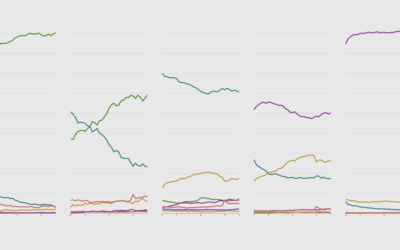
    stacked-graph

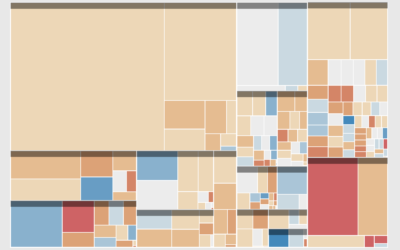
    treemap

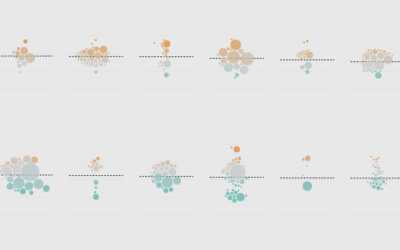
    calendars

    As you can see, the new version is all about flexibility and exploration. While there's still a lot to be done before I'll be really happy with it, I like where things are headed, and I think you all will like the new features.

    Be sure to follow YFD on Twitter to stay up-to-date on when you can start collecting and exploring data about yourself.

    Thoughts or suggestions? Please leave them in the comments below.

    P.S. If you're a YFD test user, feel free to continue recording data as you are now. All of your data will be available in the new version.

  • FlowingPrints: Posterizing the World’s Data, Plus FlowingData Newsletter

    Posted May 27, 2009 to Announcements, Projects / 7 comments

    For the longest time I've been obsessed with data visualization and infographics in print, specifically posters. Visualization on the Web is great, but there's a limitation with screen real estate, and data in print has always just felt so much sexier. I remember when I was at The Times and I saw my very first graphic online. It was cool, but it was even cooler when I saw it in the paper the next morning.

    Enter the newest and maybe my most favorite FlowingData project - FlowingPrints. Continue Reading

  • your.flowingdata: Collect Data About Yourself via Twitter

    Posted Mar 10, 2009 to Projects, Self-surveillance / 29 comments

    your.flowingdata: Collect Data About Yourself via Twitter

    As many of you know, I've been working on a project that lets you collect data about yourself via direct messages on Twitter. It's called your.flowingdata (YFD). It started with just weight and sleep, but it's slowly growing. I recently added entertainment, potty time, smoking, mood, and something I call YFD pulse. You can now also download your data in CSV format.

    Here's my YFD pulse...

    Here's when I go... you know...

    Now here's my sleep habits...

    Alright, so maybe that's more information that you needed to know. But anyways, if you'd like to help me test your.flowingdata, I'm opening it up to the first 300 people. Just login at your.flowingdata with your Twitter info, and you'll be good to go. It's very tip of the iceberg at this point in development, but I'd love to hear what you all think.

    UPDATE, 11:34am - It seems the Twitter whitelisting hasn't kicked in yet, so there's going to be some lag. Stay tuned. Feel free to continue logging data. No data will be lost while we wait. Sorry for the inconvenience.

    UPDATE, 12:41pm - You can now login and create a YFD account. You can also start logging data. Although it won't appear, no data will be lost. I'm still waiting to get a response from Twitter.

    UPDATE, 1:34pm - It looks like we're back in business. Updates will be slightly delayed until I'm absolutely sure, but feel free to create an account and record data.

    UPDATE, 7:40pm - We're now back at the normal refresh rate of every 3 minutes. I'll increase the frequency in a couple of days.

    UPDATE, 8:47pm - That's it for this wave of invites. Thanks everyone for the hugely positive response. Follow @yfd to stay updated on the next wave.

  • Progress: A Graphical Report on the State of the World

    Posted Mar 3, 2009 to Featured, Infographics, Projects / 23 comments

    Progress: A Graphical Report on the State of the World

    You might recall that the United Nations Statistics Division launched UNdata about one week short of a year ago, which was an improvement on the previous United Nations Commons Database. UNdata provides a gateway into 22 United Nations databases and 66 million records. Yeah, it's a lot of data, but what do we do with it? What does it mean? Progress: A Graphical Report on the State of the World is a modest attempt to make some sense of it all; and by all, I mean a small subset.

    I took a step away from code, opened up Adobe Illustrator and R, and did my best to visualize important topics like mortality, population, energy, and environment. It's amazing what you learn when you start digging into data. Did you know the average Niger woman will have seven children in her lifetime?

    Some of the report is the graphs that you're used to while a couple were for fun and experimental. Check it out, and let me know what you think (and if you find any mistakes).

    A Note About the Data

    If you want some real data to work with (as opposed to the clean, fake kind), UNdata is an excellent place to find it. It's sparse, scattered, and oftentimes hard to figure out what the data are about - which is what you should expect. Although for some odd reason I wasn't expecting it to be so tricky to navigate. In any case, you'll notice that some of the pages show only select numbers for certain countries. It's most likely because there wasn't all that much data for that metric... or I just thought the factoid was interesting. More likely the former though. The further back in time you go, the more sparse the data gets.

    Anyways, this was fun and I think I'll do it more often. It was nice to get back to where it really all began for me. Any suggestions for the next series of graphics?

  • Mapping and Animating Growth of Target Across United States

    Posted Jan 30, 2009 to Featured, Mapping, Projects / 48 comments

    Mapping and Animating Growth of Target Across United States

    After I produced a map that shows the growth of Walmart, there were tons of comments that were along the lines of, "I would love to see this for insert company here." I was happy to see the enthusiasm, but the hard part is getting the data for all store locations and opening dates.

    Well, fortune was smiling on me last week, and I got a hold of data for Target opening dates and locations (thnx, Cole). So here it is - a map that shows the growth of Target from 1962 through 2008.

    Target vs Walmart

    You might guess that Target and Walmart expanded similarly (I did, at least), but you'd be wrong. Both started in Central United States, and both were officially founded in 1962 by two men who both owned stores under a different name before the Target and Walmart boom. However, besides more rapid growth, Walmart first expanded outwards from its home state before going country-wide while Target seems to have gone wherever opportunity knocked.. Well, here, watch for yourself.

  • Visualizing Twitter as Barack Obama Became the 44th President

    Posted Jan 22, 2009 to Mapping, Projects / 23 comments

    Visualizing Twitter as Barack Obama Became the 44th President

    On Tuesday, January 20, 2009 at 12pm, Barack Obama officially became the 44th president of the United States of America. As we all watched Obama being sworn in front of the massive crowd, Twitter was abuzz with excitement. Just how excited was the Twittersphere? Watch for yourself. The map starts early Monday morning. As the day moves on more people wake and tweet at a steady rate with increasing volume as the time comes nearer. Europe gets in on some of the action when the US goes back to sleep. Tuesday morning comes in with a new beginning in the air. Then boom, it's time, and Twitter bursts with excitement.

  • Discover Your Future for 2009 – CookieSays Fortunes

    Posted Jan 6, 2009 to Online Applications, Projects / 5 comments

    Discover Your Future for 2009 – CookieSays Fortunes

    First off, happy new year! I'm back from my short hiatus from blogging and school. I trust everyone had a good holiday week. I saw a couple of good movies: Slumdog Millionaire, which was one of the best movies I've seen in a while, and Benjamin Button, which was good, but not as great as Slumdog. I also played a ton of NBA 2K8 on Xbox 360. I'm not much into video games (I really suck), but the plasma HDTV I got for my birthday/Christmas almost makes me feel like I'm in the game.

    Rate and Tweet Your Fortune Cookies on CookieSays

    During the last few days of break I put together CookieSays. It's a toy Twitter application that lets you tweet fortune cookie fortunes and rate others. The point? Good ol' fashioned fun, of course. I don't know about you, but whenever I crack open a fortune cookie, that little piece of paper never fails to amuse me and everyone else at the table - no matter how ridiculous or incoherent. Now you can share them on CookieSays! Plus, it seemed fitting for the new year and all.

    How to Tweet Your Fortunes

    It's really simple. Just follow @cookiesays on Twitter and post your fortunes in the following format:

    @cookiesays You will make a million dollars tomorrow.

    That's it! Your fortune will appear here in about 10 minutes or so. In the meantime, rate other people's fortunes or just sit back and let the fortunes change on their own. Have fun! It was fun making it.

    Now - back to work on my more serious project.