Category: Network Visualization

  • Visualizing YouTube, Blogs, Twitter, Flickr, People…

    Posted Oct 14, 2008 to Network Visualization / 1 comment

    Visualizing YouTube, Blogs, Twitter, Flickr, People…

    From the guys who brought you 6pli and other like-minded network visualization tools, Bestiario takes 6pli to the next level. 6pli lets users explore their del.icio.us bookmarks. This work, in collaboration with Harvard Berkaman, also lets users explore their del.icio.us bookmarks - as well as YouTube videos, Flickr photos, Twitter tweets, and content from Wikipedia, blogs, and other places. Items are clustered by content type and meta information. Yes, it's a whole lot of stuff in one place.

    The main idea is to take a few steps away from the list and scroll paradigm - sort of like DoodleBuzz, but from a more analytical standpoint. Does it make all those personal streams easier to browse and explore than something like FriendFeed? You be the judge.

    [Thanks, Jose]

    Subscribe to the RSS feed to stay updated on what's new in data visualization. All the cool people are doing it.

  • mæve Installation Shows Relationships Between Projects

    Posted Sep 22, 2008 to Network Visualization / 1 comment

    mæve Installation Shows Relationships Between Projects

    The Interface Design Team at the University of Potsdam revealed mæve last week. It's an installation that lets users place physical project cards on an interactive surface and see the relationships between those projects. Move cards over the surface and the network relationships (e.g. inspired by, social relation) follow. The more cards that you throw on, the more relationships that form.

    Here's the demo video:

    Pretty. I would love to have one of these as my coffee table (sort of like the Microsoft one).

    [Thanks, Moritz]

  • Interactive Graph Visualization System – Skyrails

    Posted Sep 8, 2008 to Network Visualization / 9 comments

    Interactive Graph Visualization System – Skyrails

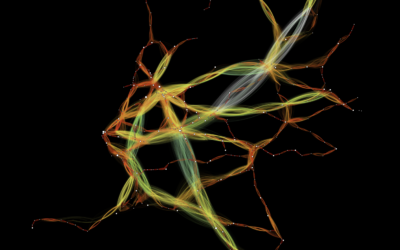
    Skyrails is an interactive graph visualization system that looks a lot like a video game. Explore relationships, visit nodes, and immerse yourself in the data. As I watch the demo video on YouTube, I feel like I'm seeing another world.

    You've got the standard ball and stick view. Whether it's useful for analysis or deeper understanding of relationships between whatever is up for debate, but one thing's for sure – it looks cool. Plus the code is open source.

    [Thanks, Atilla]

  • Visualize Genomes and Genomic Data – Circos

    Posted Aug 5, 2008 to Network Visualization / 2 comments

    Visualize Genomes and Genomic Data – Circos

    Circos is a project by Martin Krzywinski that lets you upload genomic data and visualize it as a network like the one above.

    It is easy to plot, format and layer your data with Circos. A large variety of plot and feature parameters are customizable, helping you make the image that best communicates your data. You supply your data to Circos as flat files (e.g. GFF format), tell Circos what you want plotted using the configuration file, and then create the image.

    While Circos is developed in the interest of visualizing genomic data, it is general enough that you can use it with other types of data that show relationships. The New York Times debate graphic is the first thing that comes to mind. Anyone want to give Circos a spin? Post a link to your image in the comments.

    [Thanks, Max]

  • Facebook Lexicon – Trends for Writings on the Wall

    Posted Apr 17, 2008 to Network Visualization / 9 comments

    Facebook Lexicon – Trends for Writings on the Wall

    Facebook recently released Lexicon which is like a Google Trends or Technorati for wall posts. Type in a word or a group of words, and you can see the buzz for those terms in a time series plot. Daniel sent me this excellent example. Type in party tonight, hangover and you'll get the above graph. Notice the Saturday spikes for party tonight and the Sunday spikes for hangover? Here's another one for finals:

    Facebook Lexicon

    It's interesting to see what people are talking about, and being Facebook walls, there's this realness to the charts (or maybe that's just me).

    Go ahead. Give Lexicon a try. What interesting queries can you find?

    P.S. You have to be logged in to use it.

    [Thanks, Daniel]

  • What Interests Do Your Facebook Friends Have in Common?

    What Interests Do Your Facebook Friends Have in Common?

    Nexus, by Ivan Kozik, lets you explore your Facebook social network and find out what your friends have in common. Nexus kind of caught me off guard, because it actually does a decent job of showing you commonalities. I was expecting something like Friend Wheel or Friends Density, which are Facebook bling more than anything else.

    On the other hand, Nexus is interactive and shows you how your friends are connected based on groups and interests (e.g. movies, books). The darker the line between two friends, the more they have in common. At a glance, I could see some friends, who I know are very social, right in the middle of things with a lot of connections while some of the not so social on the edges. I also noticed some of my random Facebook friends in the boonies with no connecting lines.

    You choose between the spring and radial layouts and can choose the dark or light background.

    Nexus Dark

    Nexus Light

    [via Info Clarity]

  • 17 Ways to Visualize the Twitter Universe

    17 Ways to Visualize the Twitter Universe

    I just created a new Twitter account, and it got me to thinking about all the data visualization I've seen for Twitter tweets. I felt like I'd seen a lot, and it turns out there are quite a few. Here they are grouped into four categories - network diagrams, maps, analytics, and abstract.

    Network Diagrams

    Twitter is a social network with friends (and strangers) linking up with each other and sharing tweets aplenty. These network diagrams attempt to show the relationships that exist among users.

    Twitter Browser

    Twitter Browser

    Twitter Social Network Analysis

    The ebiquity group did some cluster analysis and managed to group tweets by topic.

    Twitter Social Network Analysis

    Twitter Vrienden

    Twitter Vrienden

    Twitter in Red

    I'm not completely sure how to read this one. I looks like it starts from a single user and then shoots out into the network.

    Twitter in Red

    Twitter Network

    Twitter Network

    Continue Reading

  • Names Mentioned in Debates by Major Presidential Candidates

    Posted Dec 20, 2007 to Network Visualization / 3 comments

    Naming Names from the New York Times

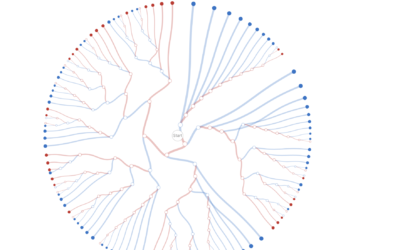
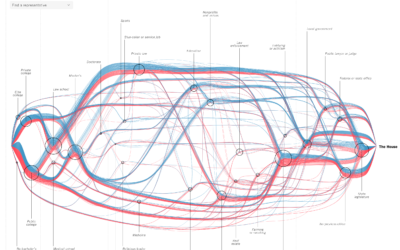
    Jonathan Corum and Farhana Hossain created a network visualization that shows readers who has spoken about who in presidential debates. Scroll over each candidate name to isolate the connections; important/interesting points are highlighted. Candidates are colored blue and red for their respective political parties.

    There are three main things that this thing shows -- who has spoken about who (lines), who has been talking the most (circle segments), and finally, attention by party (red and blue). In usual fashion, The New York Times churns out another beautiful graphic. Not only is the visualization attractive, but unlike so many network diagrams before it, this graphic is also useful and informative.

  • Difficulty Visualizing Social Networks

    Posted Jul 3, 2007 to Network Visualization / 1 comment

    We need to interact with others. We crave connections with friends and strangers. Something inside makes us need to converse with others so that we don't go crazy. As I work from home, I've begun to understand this a bit more, and I've found myself checking Facebook and Twittering perhaps just a little too much. I think that it's these connections is what has made social networks so popular.

    How can we visualize these ever so important connections. An obvious option is with, well, lines.

    high school friendships

    Pretty, yes. Useful? Umm, hmm, not really. The number nodes grows to greater than 20, and it becomes this cloud/blob-type thing. What meaning can we take away from visualization like this other than, there's a lot of nodes and links, and they're all interconnected (other than a few outsiders)?

    Okay, so here's another option -- instead of using lines to show connections between nodes, we can use clustering. Nodes that are similar, appear closer together.

    Clustering Social Networks

    We can see some patterns now with the clustering and coloring, but when the network groes to thousands, it's easy to see how things can get kinda gross. I think the natural next step here is to sample, provide an overview, and if the user wants to go deeper, sample some more.

    The big question: how do we know what to sample? What weight can we give each sample? How can we get a sample that properly represents the entire network (or a small, specific part of it)?